Share & Access management
Share analysis
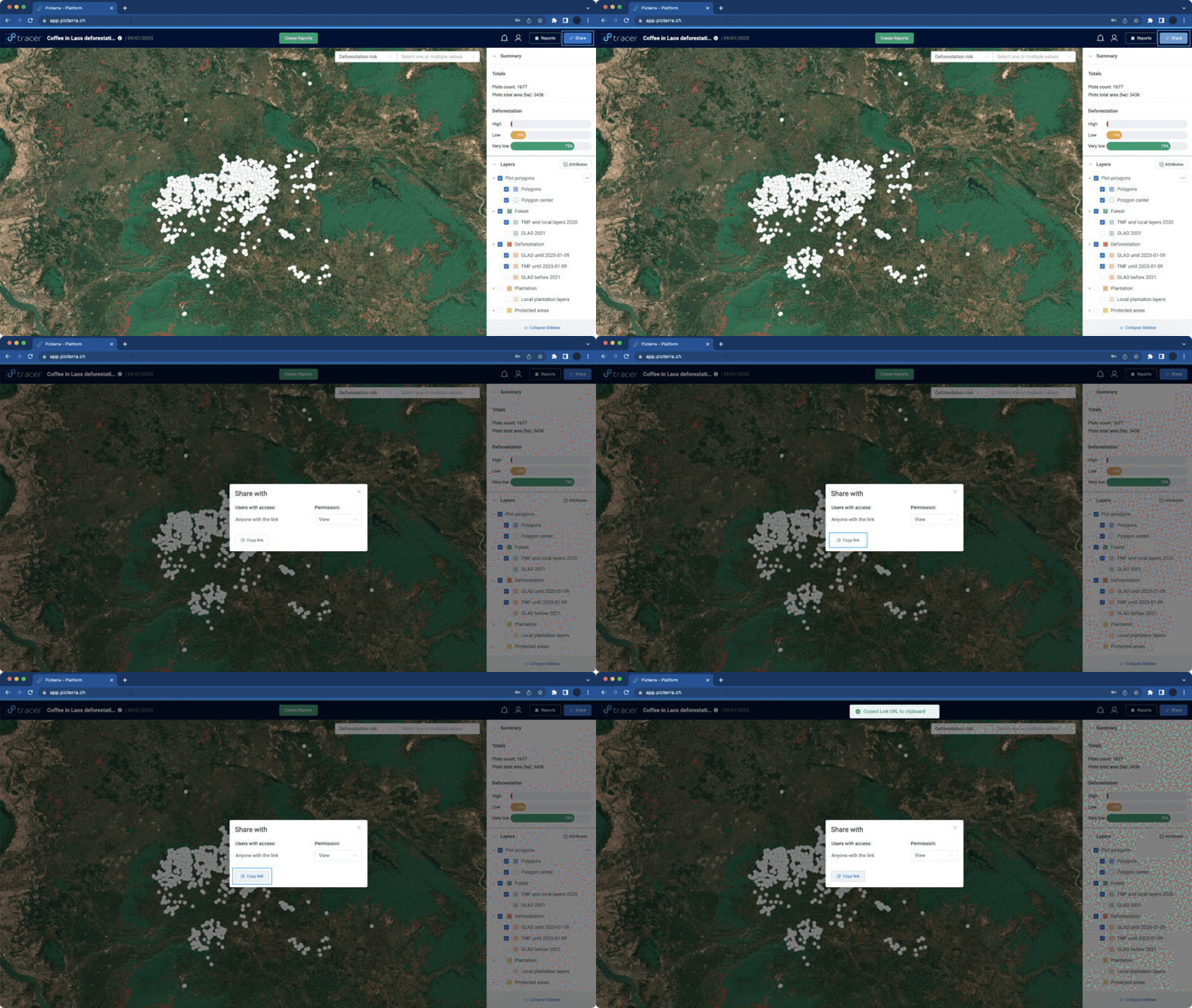
You can easily share your analysis with internal and external users using the built-in sharing features. Simply click the “Share” button in the top-right corner of the analysis interface.
A pop-up window will appear, allowing you to manage access permissions and copy the shareable link. You can control link-based access to the analysis using the dropdown, choosing to grant view-only permission or deny access altogether.
For more advanced accessibility settings, use the Plot Group Access Management options.
Data access management
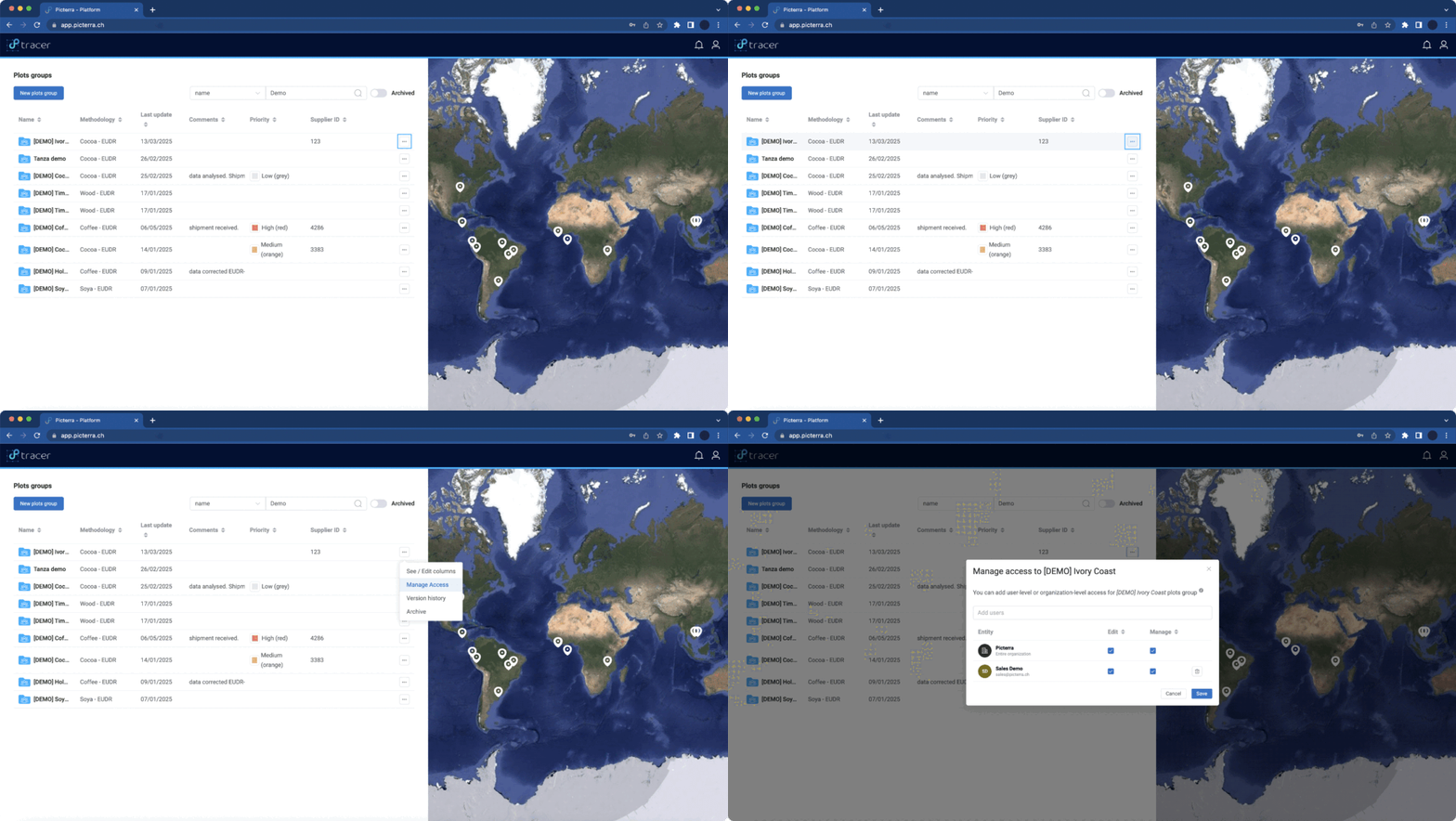
In order to control data accessibility in Picterra Tracer, you can manage access settings using the “Access Management” option found in the menu of each individual plot group. This feature lets you assign permissions to specific team members or the entire team, allowing them to manage or edit plot groups as needed.
Clicking on “Access Management” opens a pop-up where you can assign access to individual users by entering their email, or manage organization-wide permissions using the checkboxes.