Plot groups
To ensure structured data organization, Picterra Tracer allows users to upload files into “folders” called Plot Groups. These groups can represent countries, regions, or specific areas, depending on how customers choose to organize their data. Each Plot Group is linked to a single methodology for analysis, ensuring clarity and consistency.
You can quickly filter plot groups using the search bar at the top. Additionally, the menu icon on the right provides options to edit, archive, or manage access permissions, ensuring secure and streamlined data management.
Creating plot groups
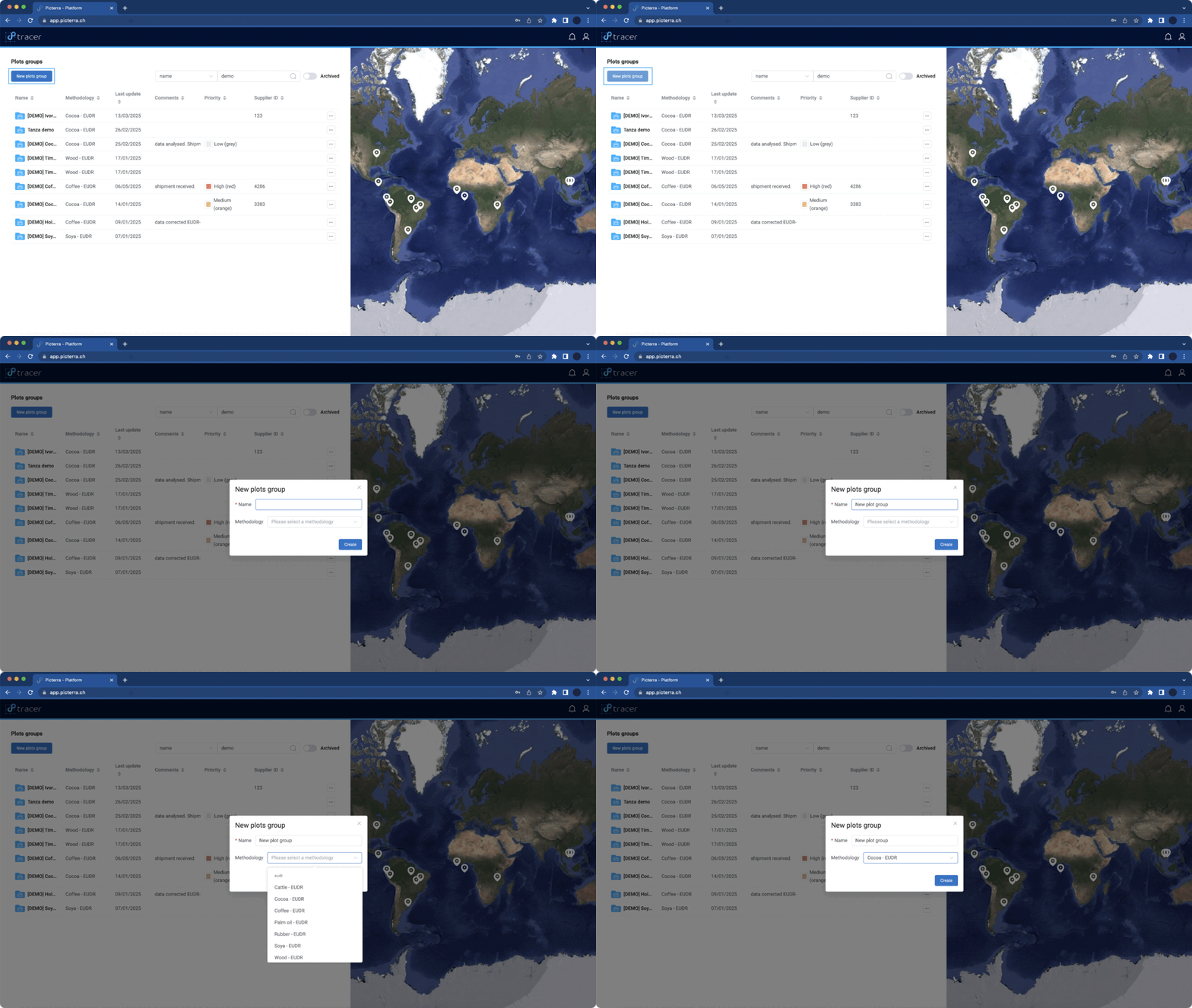
To create a Plot Group, click on the “New Plot Group“ button in the top left corner of your interface. A popup will appear, allowing you to define the plot group name and select the methodology of analysis:
- Name – Assign a clear identifier to your Plot Group.
- Methodology – Specify the analysis methodology and commodity associated with this group.
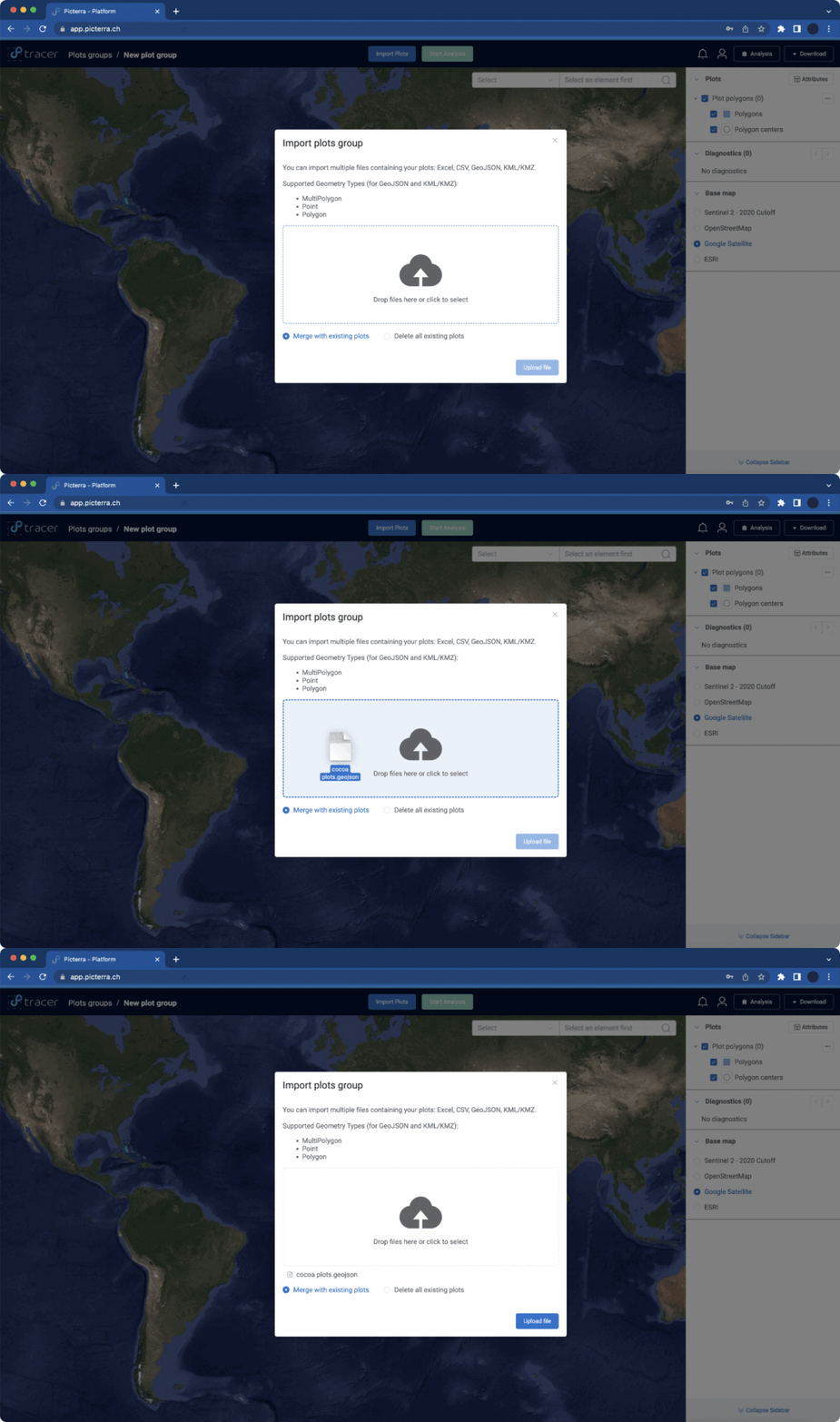
Once the new Plot Group is created, you can upload your plot data files:
- Drag and drop your plot data file into the upload area or click “Select File” to choose a file from your computer
Plot data cleaning
All uploaded data undergoes automatic screening, verification, and correction. Tracer handles this process seamlessly, ensuring accuracy, transparency, and reliability in your data.
Plots group access management
Using the access management, you can precisely define how the plots groups are shared across your organization.